
Create useful workplace writing
Module 5 Create useful workplace writing
A useful workplace message helps a particular reader understand something or take a clear next step. AI can help you shape the wording. It cannot give you new facts, permission to send, or authority to promise something on another person’s behalf.
In this module, you will turn one checked set of fictional workshop facts into three different forms of writing. You will change the emphasis and structure while keeping the facts, conditions and approved commitments intact.
What you will learn
By the end, you will be able to:
- Specify a reader, purpose, tone and measurable length for a draft.
- Adapt one checked fact set into an internal update, an email draft and a short frequently asked questions section, or FAQ.
- Edit for clarity and accessibility without making uncertainty disappear.
- Identify and remove overconfident wording and invented commitments.
- Show the source for important claims and distinguish a reviewed draft from permission to send it.
Before you start
Complete Modules 1 to 4 first, or check that you can make a bounded brief, use source labels, preserve missing information and verify a claim against the passage that supports it. Keep your Module 4 checking method nearby.
Use an approved ordinary text-chat assistant and a document or notebook. Only the fictional material supplied here is needed. No paid feature, upload, connected account or programming is required. If a chat tool is unavailable, use the supplied example responses and write your own drafts, marking the work as offline practice.
Allow about 90 minutes: five lessons and demonstrations, 35 minutes; guided practice, 25 minutes; independent assignment, 20 minutes; self-check and answer review, 10 minutes. These are planning estimates, not measured completion times.
Continue the workshop scenario
You support the fictional Willow Team, which is preparing a community workshop. Each source pack is a separate labelled snapshot. Use only the pack named in the current exercise. A confirmed room in one snapshot does not resolve an unconfirmed room in another.
All people, dates, organisations and details are invented. The examples are illustrative teaching responses, not recorded live-tool results. Every message stays in your practice document. Do not create a real email draft, send a message or publish anything.
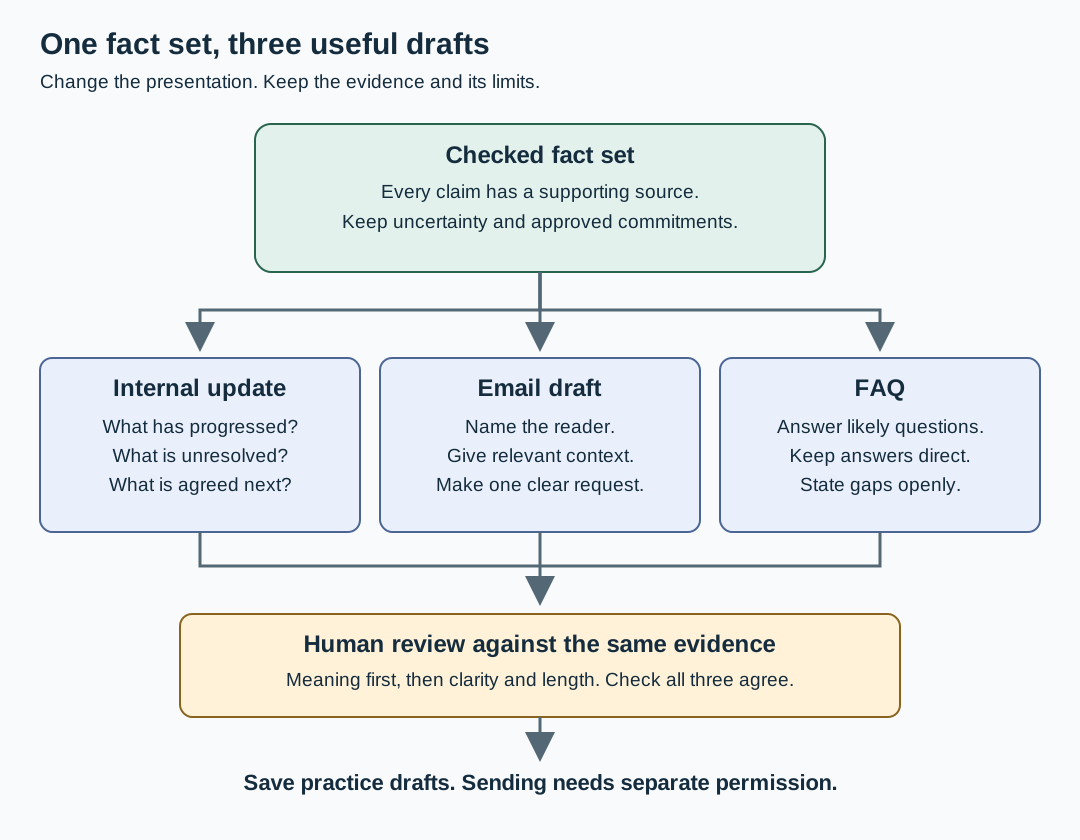
Read the diagram explanation
A checked fact set containing sources, uncertainty and approved commitments branches into an internal update for status, an email draft for one request and an FAQ for practical questions. The three drafts converge at a human check of meaning, clarity and length. The result is saved as practice drafts; sending is a separate decision.